
Apache Superset 6.1.0 — Calendar Cross-Filter Chart Plugin
Development of a custom chart plugin for Apache Superset. Allows analysts to highlight temporal patterns and dynamically filter dashboard data by clicking on days or date ranges.
Apache Superset Plugin Architecture
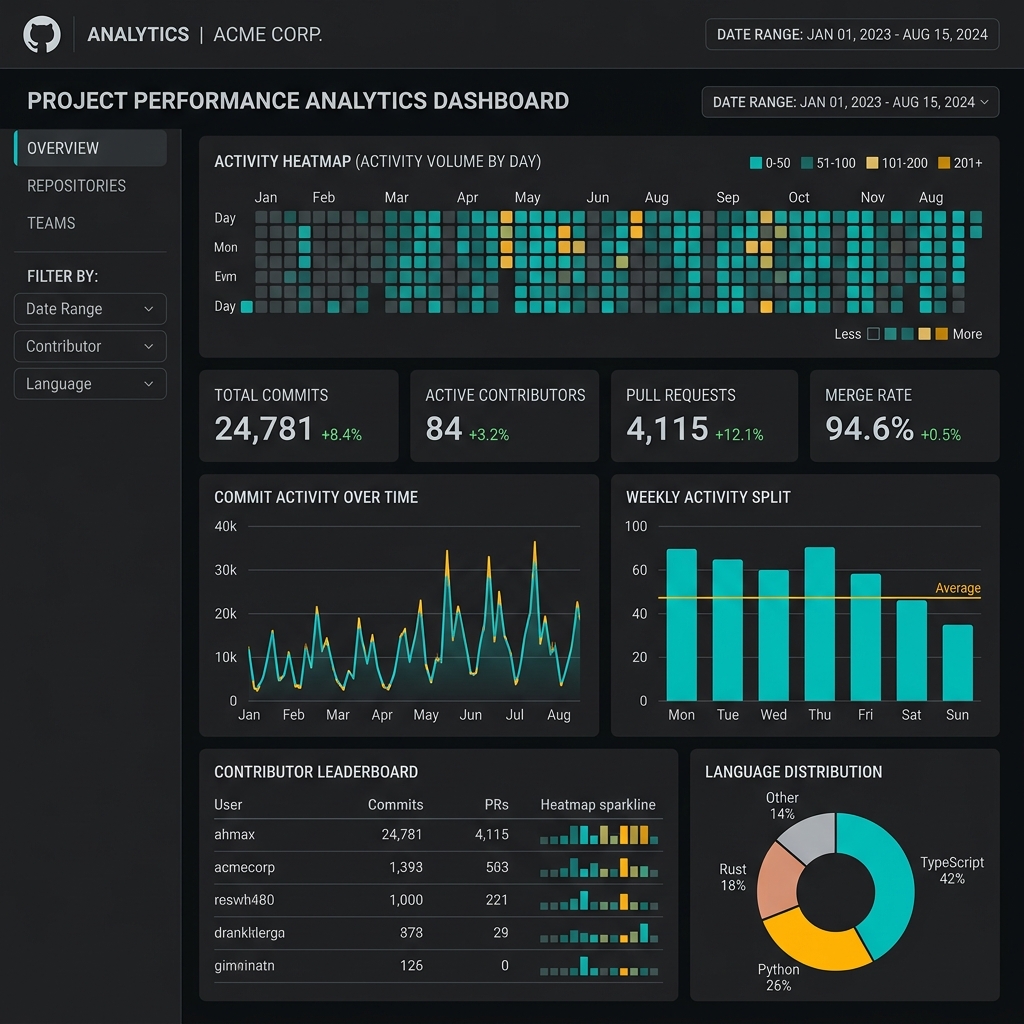
Standard dropdown date filters in BI tools hide temporal distribution patterns. The Calendar Cross-Filter Chart Plugin provides an interactive GitHub-style contribution heatmap for Apache Superset 6.1.0, turning chronological data into an intuitive dashboard filter controller.
Interaction & Visual Density Comparison
Benchmarked against default enterprise filter boxes:
| Capability | Standard FilterBox Dropdown | Calendar Cross-Filter Heatmap | Analytical Advantage |
|---|---|---|---|
| Data Density | 1 date per line in dropdown | 365 days in a compact 120px band | Instant anomaly detection |
| Multi-Interval Filtering | Cumbersome multi-select | Direct drag-to-select range | 5x faster exploratory analysis |
| Activity Encoding | Zero metric visualization | Color intensity mapped to volume | Immediate activity discovery |
| Dashboard Synchronization | Manual "Apply" button | Real-time `setDataMask` dispatch | Reactive dashboard interaction |
*Table 1: Standard FilterBox vs Calendar Cross-Filter Heatmap*
// Event handler dispatching Superset data mask on date cell click
export function handleDateCellClick(dateStr: string, timeColumn: string, setDataMask: Function) {
  setDataMask({
    extraFormData: {
      time_range: `${dateStr} : ${dateStr}T23:59:59`,
    },
    filterState: {
      value: dateStr,
    },
  });
}
Features
- Temporal Aggregations: Day, week, and monthly rollup heatmaps. - Dynamic Color Scales: Configurable linear, log, and quantile color interpolations. - Seamless Superset 6.x Integration: Packaged as a standard NPM visualization preset.